
You've done the work, you've got happy customers, and a competitor with worse reviews keeps showing up above you on Google. It feels random. It isn't. Google ranks local businesses on three things — relevance, distance, and prominence — and once you know which of those you can move and which you can't, the whole map pack stops feeling like a lottery. The short version: distance is mostly out of your hands, but relevance and prominence are where your effort actually pays off.
1The three factors, in plain English
Google says local results are decided by relevance, distance, and prominence. That's straight from Google Business Profile Help — not a guess, not a theory someone sells you.
Here's what each one means without the jargon:
- Relevance — how well your business matches what the person searched for.
- Distance — how close you are to the searcher (or to the place they searched for).
- Prominence — how well-known and trusted your business appears to be.
The trick isn't memorising these. It's knowing which ones you control.
2Distance: the one you can't change
Distance is about physical proximity. When someone searches "electrician near me," Google leans heavily on who's actually nearby.
And it's the dominant factor for the map results — the box of three businesses with pins. Sterling Sky's testing shows proximity to the searcher drives those map rankings more than almost anything else.
Here's the hard truth: you can't move your business closer to every customer. A searcher two suburbs over is closer to a competitor, and Google knows it.
So if a rival outranks you in the map pack for a search done near their address, that's not a sign you're doing something wrong. It's geography. They'd likely lose to you on a search done near yours.
This is why "why am I not number one everywhere" is the wrong question. Nobody ranks number one everywhere. You rank differently depending on where the searcher is standing.
3The service-area field won't fix it
Here's a myth worth killing now. Many owners think that if they add more suburbs to the "service area" field on their Google Business Profile, they'll rank in all of them.
They won't. Listing extra suburbs in your service area does not make you rank in those suburbs. It's not a ranking lever. Google still ranks the map results by distance from your verified address — not by the areas you typed in.
The service-area field controls how your listing displays and where it's shown as available. It's useful for that. But treating it as a ranking shortcut wastes your time and sets you up to feel cheated when nothing moves.
If you genuinely want to show up for a suburb you're not physically near, the realistic path is the website results below the map — and that's a content job, not a checkbox.
4Relevance: this one you control
Relevance is where your effort starts to count. It's how well Google understands what you do and matches it to the search.
The biggest lever here is one most owners ignore: the "Services" field on your Google Business Profile — the list of what you actually do.
This is different from the service-area field. Service area is the myth. Services — the list of jobs you do — is a real signal. When someone searches "switchboard upgrade," a profile that lists "switchboard upgrades" as a service is more relevant than one that just says "electrician."
How to use it:
- Pick the most specific primary category you can. "Emergency Plumber" beats "Plumber" beats "Contractor" if that's the work you want.
- Fill in the Services list properly. Add every real service, named the way customers search for it.
- Match your website to it. If your profile says you do drain repairs, your website should too. Consistency tells Google the signal is real.
Relevance also lives on your website. A page that genuinely describes a job, in a specific area, can rank in the website results for "[your service] [place]" searches — the results sitting below the map box.
That's the prize the map pack won't give you. For more on doing that without tripping Google's spam filters, see Writing a Suburb Page That Ranks (and Doesn't Sound Fake).
5Prominence: earned, not bought
Prominence is how well-known and trusted your business looks to Google. It's built from reviews, links, mentions across the web, and your general reputation.
Reviews are the part you can move most directly — but the detail matters, and most advice gets it wrong.
For ranking, recency and velocity of reviews matter more than your raw total. Whitespark's research points to a steady, recent flow of reviews being a stronger local ranking signal than a big pile of old ones. A business getting two genuine reviews a month often outranks one that got forty in a single burst two years ago.
So the goal isn't "hit 100 reviews." It's "keep new reviews coming in." A steady trickle beats a one-off campaign.
A few honest cautions on reviews and ranking:
- Don't chase a magic number. There's no review count that guarantees position one.
- Never buy or incentivise reviews. Google removes them and it can hurt you.
- Replying to reviews is good practice — but treat it as a conversion lever, not a confirmed ranking boost. More on that below.
6Do review replies improve your ranking?
This one gets repeated as fact, so let's be straight about it.
Whether replying to reviews lifts your Google ranking is unconfirmed. There's no solid evidence it moves you up the map pack. Don't let anyone sell you review replies as a ranking hack.
That said — reply anyway. Here's why it's still worth your time.
Most consumers favour businesses that respond to reviews, and a large majority expect owners to respond at all. That's a conversion and trust effect: the person reading your reviews decides to call you. — BrightLocal Local Consumer Review Survey, 2026. At Bare Bayside Labs, we see the same pattern in nearly every profile we look at — the businesses that reply look more alive and more trustworthy, and that's what wins the click, even if it isn't what wins the ranking.
So: reply to reviews to win customers, not to climb the map. Both matter. Just don't confuse the two.
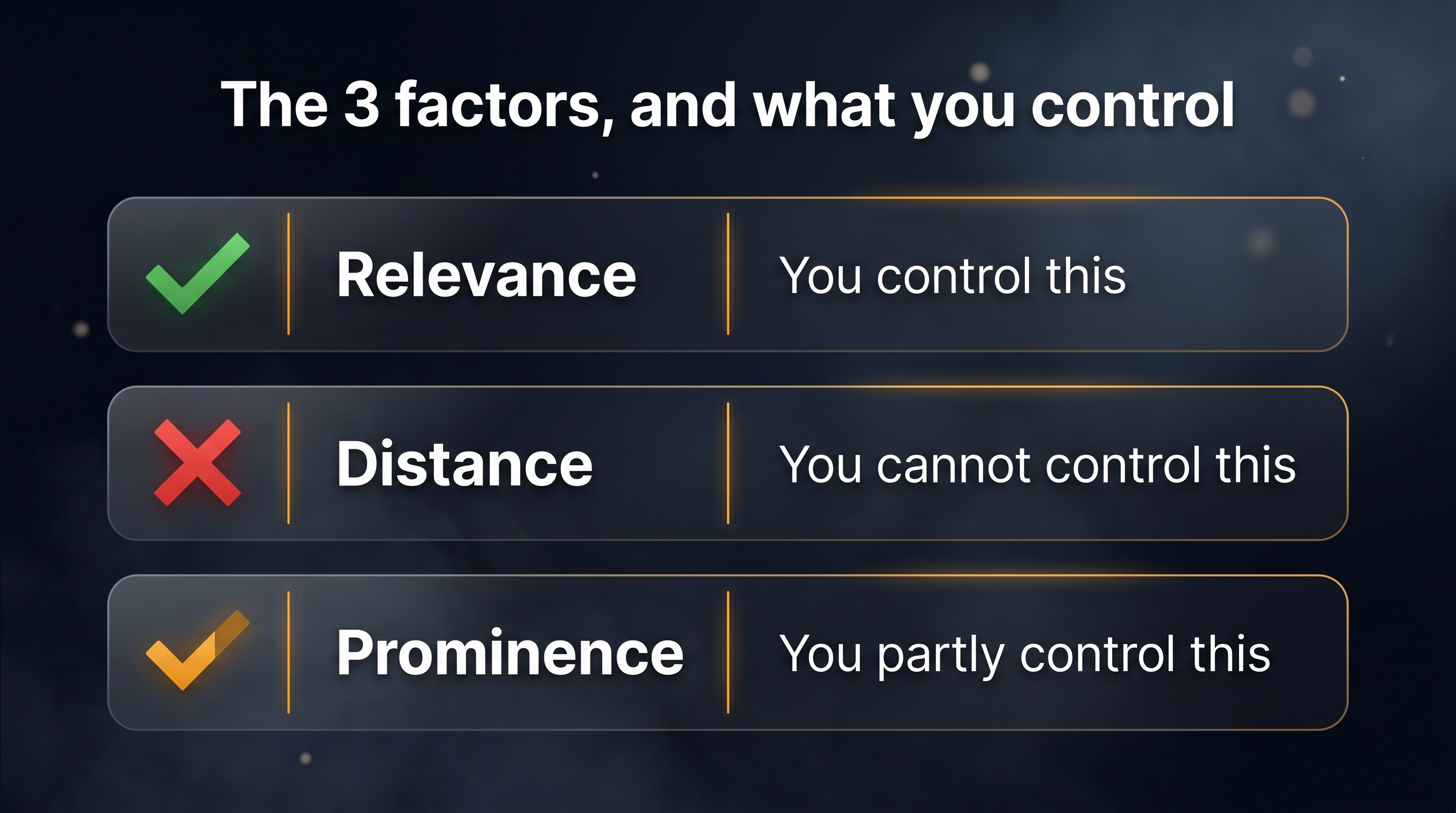
7What you can control vs what you can't
Here's the whole thing on one screen.
| Factor | What it is | Can you control it? | Your move |
|---|---|---|---|
| Distance | How close you are to the searcher | Mostly no | Accept it; compete harder where you're near |
| Relevance | How well you match the search | Yes | Specific category + full Services list + matching website |
| Prominence | How trusted you look | Mostly yes | Steady recent reviews, local links, consistent details |
The biggest wins for most local businesses sit in the columns you can move:
- Fix relevance first. Right primary category, complete Services field, website that matches. It's free and it's fast.
- Build prominence steadily. A consistent flow of recent reviews and a few genuine local links.
- Stop fighting distance. You won't win every search. Win the ones near you, and use your website to reach further.
For a hands-on list of the fixes that flow from all this, see our Local SEO Checklist. For the bigger picture — including showing up in AI search — see SEO for Small Business in 2026.
Key takeaways
- Google ranks local businesses on relevance, distance, and prominence. That's Google's own stated framework, not a theory.
- Distance is dominant in the map pack and mostly uncontrollable. Nobody ranks number one everywhere — your position shifts with where the searcher stands.
- The service-area field is not a ranking lever. Adding more suburbs to it won't make you rank in them.
- The Services field is a real lever. A specific category and a complete list of what you do is the relevance win most owners skip.
- For ranking, review recency beats raw count. A steady flow of recent reviews outperforms a big old pile.
- Review replies are a conversion lever, not a confirmed ranking factor. Reply to win the customer, not to climb the map.
Common questions
Why does a competitor with fewer reviews rank above me?
Usually distance. If the search happened closer to their address, proximity can outweigh your review lead in the map pack. It doesn't mean your profile is worse — run the same search near your own location and you may well sit above them.
If I add more suburbs to my service area, will I rank in them?
No. The service-area field doesn't drive map rankings — distance from your verified address does. To reach a suburb you're not near, you need genuine website content about your work there, which can rank in the results below the map.
What's the single fastest ranking improvement I can make?
Fix relevance. Set the most specific primary category and fill in the Services field completely, then make sure your website says the same things. It's free, takes an hour, and is one of the few levers fully in your hands.
Do I need a huge number of reviews to rank?
No. For ranking, a steady, recent flow matters more than a high total. Two genuine reviews a month, consistently, tends to beat forty reviews that all arrived in one week two years ago.
Does replying to every review push me up Google?
There's no confirmed evidence it improves your ranking. It's still worth doing — most people prefer businesses that respond, so it helps turn a reader into a customer. Treat it as a trust and conversion move.
Related articles
Want to see how your relevance, reviews, and visibility stack up against the businesses outranking you?
Get a free competitor snapshot — we show you where rivals show up online and where the gaps are.
Get your free snapshot→