
You know you should follow up with every enquiry, but you're on a job, the day runs away, and three days later that lead has booked someone else. We see this in nearly every business we work with — the leads come in, but nobody's chasing them on time. The fix is to let software send the first few follow-ups for you, automatically, the moment an enquiry lands. Here's how to build that, step by step, in any modern email or CRM tool.
1What "automated follow-up" actually means
It means you write a handful of emails once, set the rules for when they go out, and then they send themselves.
A new enquiry comes in. Your system sends an instant reply. Two days later it sends a helpful follow-up. A few days after that, a gentle check-in. You don't press send on any of them.
You only step in when someone replies. That's the whole idea — the machine handles the chasing, you handle the conversation.
2Why speed is the thing you're really fixing
The reason this matters isn't tidiness. It's that the first business to respond usually wins the job.
Contacting a lead within five minutes makes you about 21 times more likely to qualify it than waiting 30 minutes — Oldroyd, MIT/Kellogg & InsideSales Lead Response Management Study (2007, updated ~2011). At Bare Bayside Labs, almost every business we audit is replying hours later, not minutes later — not because they don't care, but because they're out doing the actual work.
An automated reply closes that gap. It answers in seconds, every time, even at night or on a weekend. You can still call the person personally later — but they already know you exist and you're on it.
There's a money angle too. Across ecommerce senders, automated emails converted at 1.76% versus 0.07% for one-off campaign blasts (Omnisend, 2024). The automated, well-timed message simply works harder than the manual one you might get around to.
3What you need before you start
You don't need anything fancy. You need three things.
- A way to capture enquiries — a form on your website, or a tool that drops new enquiries into one place.
- An email or CRM tool that can send on a schedule — most CRMs, and most decent email platforms, can do this. (CRM means Customer Relationship Management — software that stores your leads and customers in one place and can act on them.)
- A little time to write the emails once. That's the part that's genuinely on you.
If you already have a CRM, you almost certainly have everything you need. If you don't, a simple email marketing tool with automation will do for a basic sequence.
4Step 1 — Set up the capture form
Your automation needs a trigger. The cleanest trigger is a new enquiry landing in your system.
Build a simple form
Create a short contact form and put it on your website. Ask for the essentials only: name, email, phone, and a one-line "what do you need?" Every extra field costs you submissions.
Connect that form to your CRM or email tool so a new submission creates a new record automatically. No copy-pasting, no manual entry.
Make sure every lead lands in one place
Phone enquiries and walk-ins should end up in the same system too. If half your leads live in your phone and half live in your CRM, your automation only protects half of them. Even a quick manual "add this caller" habit keeps everything in one pipe.
5Step 2 — Write your email templates
This is where most of the real work is, and it's worth doing well. Write the emails like a person, not a brochure.
Keep them short and human
Three to five sentences each. First name at the top. Skip words like "leverage" and "solutions." If you wouldn't say it out loud to a customer standing in front of you, don't put it in the email.
Write a small set, not a flood
You don't need ten emails. A workable starting sequence is five touches over about two weeks:
- Instant confirmation — "Got your message, we'll be in touch within a couple of hours."
- A helpful follow-up — a short tip, checklist, or "what to expect" note tied to their enquiry. Not a pitch.
- Light social proof — "Here's what a recent customer said." One short quote.
- A soft check-in — "Still thinking it over? No rush — happy to help when it suits."
- A last call — "Checking in one final time. We're here when you're ready." Then it stops.
For the full copy of each of these, see The 5 Follow-Up Emails Every Local Business Should Automate. Save your finished templates inside your tool so the automation can pull them.
6Step 3 — Build the trigger rules
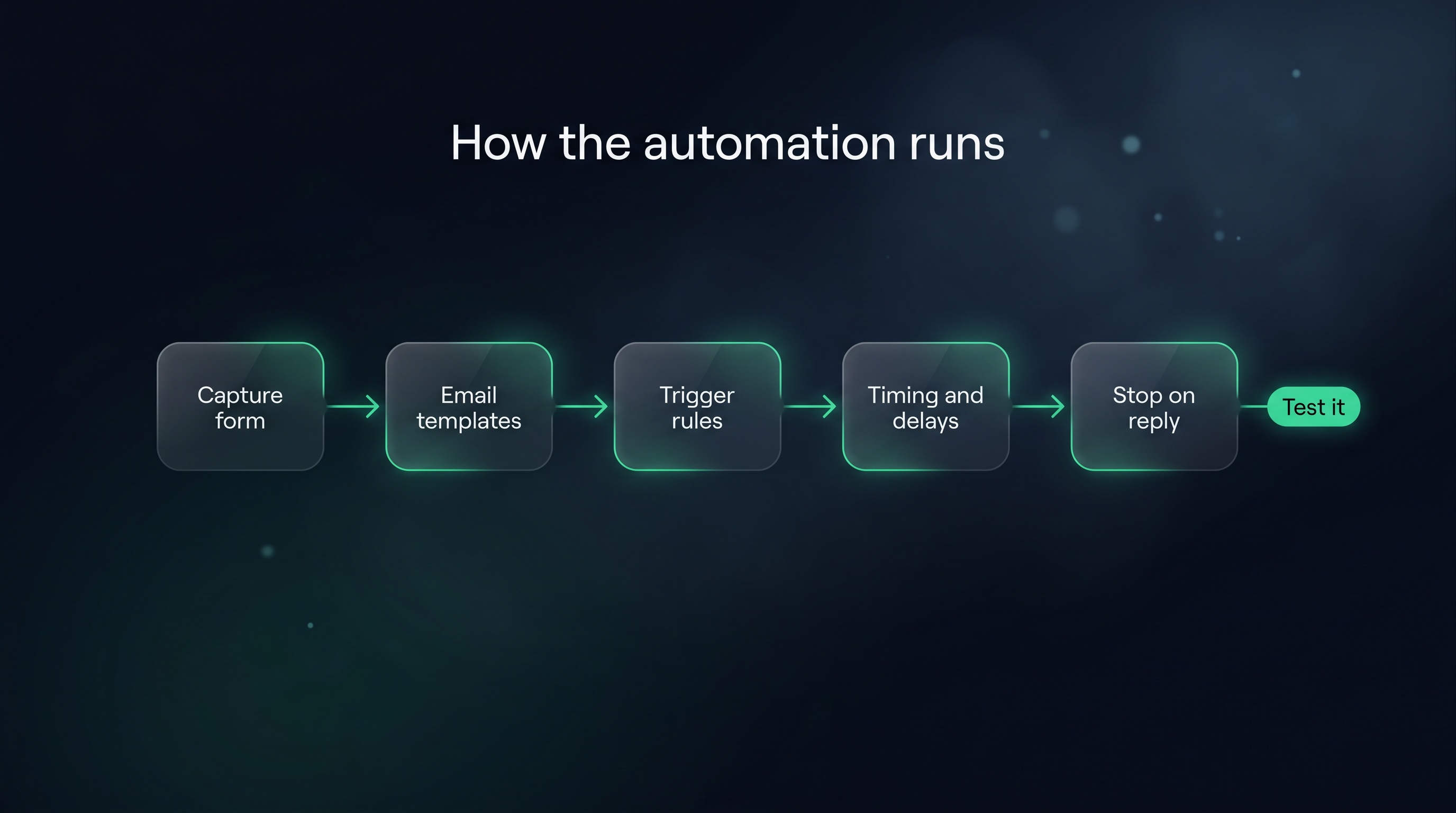
A trigger rule is a simple "when this happens, do that" instruction. You'll make one per email.
The pattern for each rule
Every rule follows the same shape:
- The trigger — a new lead/enquiry is created.
- The wait — how long to pause before sending (zero for the instant one).
- The action — send a specific template.
So your rule set looks like this:
- New enquiry created → send the confirmation immediately
- New enquiry created → wait 2 days → send the helpful follow-up
- New enquiry created → wait 5 days → send the social-proof email
- New enquiry created → wait 8 days → send the soft check-in
- New enquiry created → wait 14 days → send the last call
A concrete example
In a CRM like Zoho, you'd build these under the automation or workflow section as five workflow rules, each tied to "new lead created" with a different delay and template. In other tools they might be called "automations," "journeys," or "sequences." The labels differ; the logic is identical everywhere — trigger, wait, send.
7Step 4 — Set the timing
Timing is what separates a helpful sequence from an annoying one. Front-load it, then space it out.
Fast at the start, patient after
The first reply should be instant. That's the one that wins jobs. After that, give people room to breathe — every two to several days, not every few hours.
Five touches across about two weeks is a sensible default for most local businesses. Enough to stay on their radar, not so much that you become the business that won't stop emailing.
Don't overthink the exact hours
You can refine later. Get the sequence live first, watch how people respond, and adjust the gaps once you have real behaviour to look at.
8Step 5 — Add a stop condition (the most important step)
This is the step people skip, and it's the one that protects your reputation.
Stop emailing people you're already talking to
Nothing kills trust faster than an automated "just checking in" landing in someone's inbox an hour after you've been on the phone with them.
So add a condition to every rule: only send if the lead is still in an "open" or "new" state. The moment you mark them as contacted, booked, or replied, the remaining emails should stop on their own.
Always give people an exit
Include an unsubscribe or "tell me to stop" option, and honour it instantly. Some regions legally require this for marketing email — check your local rules. Beyond the law, it's just decent, and it keeps your sending reputation healthy.
9Step 6 — Test it before you trust it
Never switch an automation on and walk away. Run it on yourself first.
Submit your own form
Fill in your own form as if you were a customer. Watch the confirmation arrive. Then check that each later email fires at the right time over the following days.
Read everything on a phone
Most people will read your emails on a phone, so you should too. Check the line breaks, the links, the from-name. Fix anything that looks clumsy on a small screen.
Test the stop condition
Halfway through the sequence, mark your test lead as "contacted" and confirm the remaining emails stop. If they keep coming, your stop condition isn't wired correctly — fix that before any real lead goes through.
10Common mistakes to avoid
A few traps catch people the first time they build this.
- Emails that sound like a robot. Stiff, corporate language gets ignored or unsubscribed. Write like you talk.
- Too many, too fast. Ten emails in a week feels like harassment. Five over two weeks is plenty.
- No stop condition. Covered above, but it's worth repeating — it's the single most common and most damaging miss.
- Never testing. A broken automation can email the wrong template at the wrong time to every lead at once. Always test first.
- Letting it eat your selling time isn't the goal — getting it back is. Reps spend only 28% of their week actually selling; the rest goes to admin and data entry (Salesforce State of Sales, 2023). The point of automating follow-ups is to claw some of that time back, not to add a new system to babysit.
Key takeaways
- Automation fixes speed, not effort. An instant reply matters because contacting a lead within five minutes makes you far more likely to qualify it than waiting half an hour.
- You only need three things: a capture form, a tool that sends on a schedule, and time to write the emails once.
- Build one trigger rule per email — trigger, wait, send. The logic is the same in every CRM or email tool, whatever the menus call it.
- Five touches over two weeks is a sensible default: instant, helpful, social proof, check-in, last call.
- The stop condition is non-negotiable. Emails must pause the second a real conversation starts.
- Always test on yourself first, on a phone, including the stop condition.
Common questions
Do I need a CRM to automate follow-up emails?
Not strictly. A standalone email marketing tool with automation can send a basic timed sequence. But a CRM lets you track who replied, who went cold, and where the lead came from, which makes the whole system measurable rather than a black box.
How many follow-up emails should I send?
For most local businesses, four to five over about two weeks. That's enough to stay top of mind without becoming a nuisance. After the sequence ends, move non-responders to an occasional newsletter rather than keep chasing.
Won't automated emails feel impersonal?
Only if you write them that way. Keep them short, use the person's first name, and write like you're texting a mate. The instant confirmation in particular reads as professional, not robotic — it tells someone you're on it even when you're on a job.
How long does it take to set this up?
The rules themselves are quick — often under an hour once the emails are written. Writing the email copy well is the part that takes real thought, so do that first, then wiring it up is straightforward.
What if someone replies in the middle of the sequence?
That's exactly what the stop condition is for. As soon as you mark them as contacted or in conversation, the remaining automated emails should switch off so you can take over personally.
Related articles
Want to see how your follow-up speed stacks up against the businesses you compete with?
Get a free competitor snapshot — we show you where rivals show up online and where the gaps are.
Get your free snapshot→