
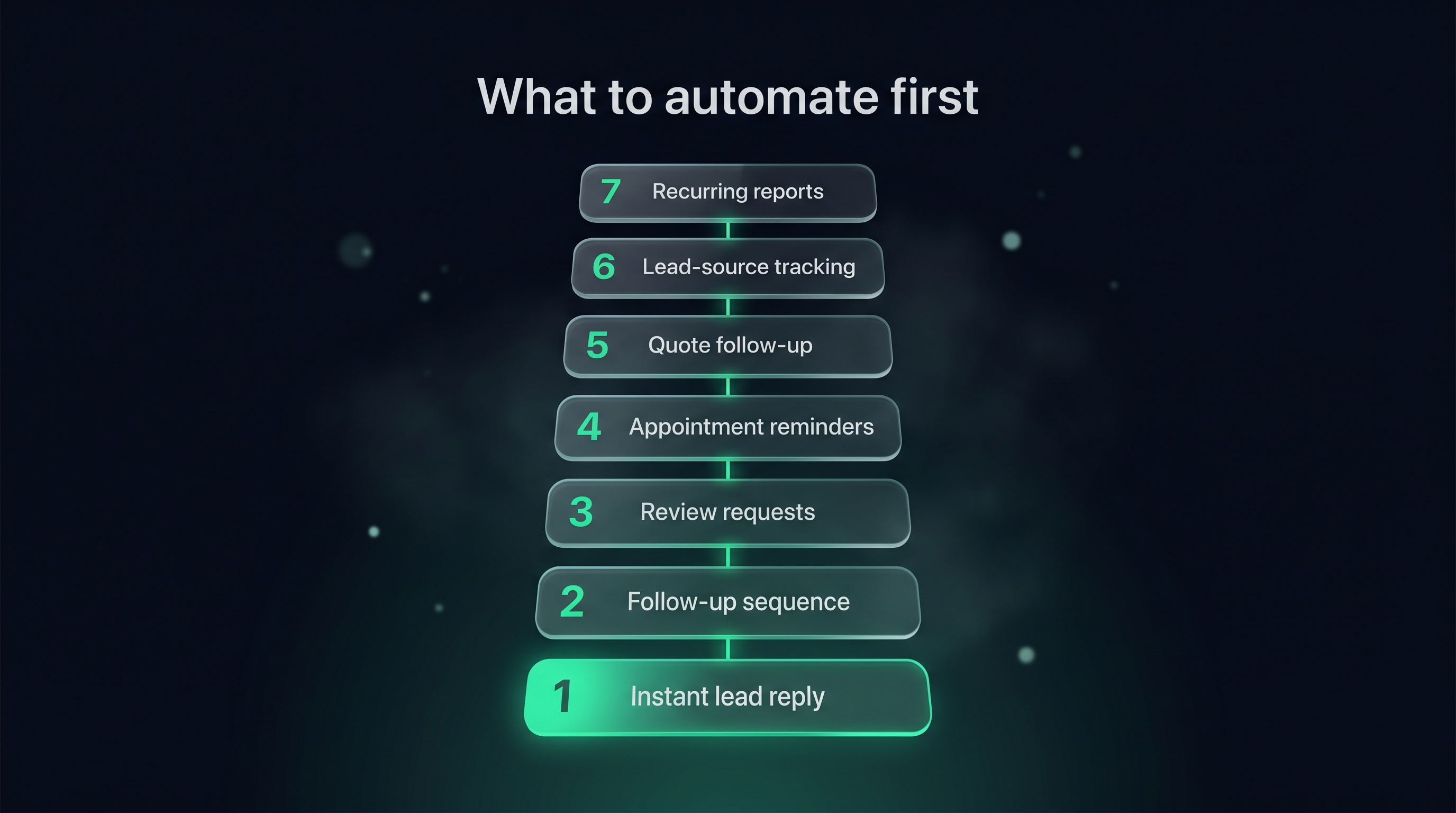
You know automation could save you time, but you've got a hundred things you could automate and no idea where to start. We hear this from almost every owner we work with — the list feels endless, so nothing gets done. Here's the short answer: start with the tasks that are repetitive, time-sensitive, and easy to forget. Below are the seven we'd tackle first, in order, with what each is, why it's worth it, and how to set it up.
1Why Start With Automation At All
Most of your week disappears into small jobs that don't need your brain — just your time.
Sales reps spend only about 28% of their week actually selling. The rest goes to admin, data entry, meetings, and research. — Salesforce State of Sales. At Bare Bayside Labs, we see the same thing in owner-run businesses: the actual money-making work gets squeezed between dozens of tiny manual tasks that a system could handle.
That's what automation is for. Not replacing you — clearing the busywork so you can do the parts only you can do.
When businesses do automate, the payoff is real. In one survey of small and mid-sized firms, around 70% of staff said automation improved their productivity (Zapier State of Business Automation, 2021). The trick is starting with the right tasks instead of trying to automate everything at once.
2How to Pick What Goes First
Before the list, here's the filter. A task is a good candidate if it's:
- Repetitive — you do it the same way every time
- Time-sensitive — it needs to happen fast, and a delay costs you
- Easy to forget — it slips when you're busy, which is exactly when it matters
The seven below all pass that test. Start at the top and work down — you don't need to do them all in one go.
31. Instant Reply to New Leads
What it is. The moment someone fills in your form, emails, or messages, they get an automatic reply confirming you've got their enquiry and will be in touch.
Why it matters. Speed wins jobs. Contacting a lead within five minutes makes you about 21 times more likely to qualify it than waiting 30 minutes (MIT/Kellogg & InsideSales Lead Response Management Study). An instant auto-reply doesn't replace your personal call, but it stops the lead going cold and buys you time to ring back. We see this as the single highest-return automation for most local businesses.
How to set it up. Connect your website form to your CRM or email tool. Write one short message — "Got your enquiry, we'll be in touch within a few hours" — and set it to fire automatically on every new submission. Twenty minutes of setup, working for you forever.
42. The Follow-Up Sequence
What it is. A short series of pre-written messages that go out over a couple of weeks after someone enquires, so you stay top of mind without manually chasing.
Why it matters. Most enquiries don't buy on the first contact, and most businesses give up too early. A commonly cited sales figure suggests around 80% of sales need five follow-ups, yet 44% of reps stop after one (The Brevet Group). An automated sequence handles those touches for you, so the leads you already paid to get don't quietly leak away.
How to set it up. Write four or five short emails — a confirmation, a value email, some social proof, a soft check-in, and a last call. Set them on a schedule with a stop condition so they pause the moment someone replies. Our step-by-step guide to automating your follow-up emails walks through the whole build.
53. Review Requests After a Job
What it is. When you mark a job complete, the system automatically asks that customer for a review a day or two later.
Why it matters. Reviews are how new customers decide whether to trust you, and they need to be recent. The problem is that asking is the easiest thing to forget once you're onto the next job. Automating the ask means it happens every single time, while the work is still fresh in the customer's mind — which is when they're most likely to say yes.
How to set it up. Trigger a message off your "job complete" status. Send a short, warm note with a direct link to where you want the review left. One ask, maybe one gentle reminder, then stop. Keep it human, not robotic.
64. Appointment and Job Reminders
What it is. Automatic reminders to customers before a booked appointment or job — usually a message the day before and an hour before.
Why it matters. No-shows and "oh, was that today?" moments cost you real time and money. A reminder that goes out automatically cuts both. It also makes you look organised and professional, which quietly builds trust before you've even arrived.
How to set it up. Most booking and calendar tools have reminders built in — switch them on. If yours doesn't, a CRM workflow can send a scheduled message a set time before the appointment. Set it once and every future booking is covered.
75. Quote Follow-Ups
What it is. When a quote goes out and gets no reply, the system sends a gentle nudge, then a value or objection message, then a polite close — automatically.
Why it matters. A sent quote is the halfway point, not the finish line — at the proposal stage the average win rate is around 47%, so roughly half of quotes don't close on their own (RAIN Group Center for Sales Research). Following up calmly wins a chunk of that other half back, but only if you actually remember to do it. Automating it means no quote gets forgotten.
How to set it up. Tag each quote with a sent date and trigger a short sequence — a nudge at Day 2–3, a value message at Day 5–7, a polite close at Day 12–14 — that stops as soon as they reply. Our guide on following up a quote that's gone quiet has the exact scripts.
86. Lead-Source Tracking
What it is. Automatically recording where each lead came from — Google, a Facebook ad, a referral, your email list — without you typing it in.
Why it matters. You can't cut what's wasting money or double down on what's working if you don't know which is which. Manually logging the source is exactly the kind of data-entry task that gets skipped — and data entry was the single most-automated workflow among small businesses in one survey, automated by 38% of them (Zapier State of Business Automation, 2021). Tracking the source automatically means you finally see which marketing actually brings in jobs.
How to set it up. Add UTM tags to your ad and email links so the source is captured automatically when someone clicks through and enquires. It's free and takes minutes once you know how. Our plain-English guide to setting up UTM tracking shows you exactly how.
97. Recurring Reports and Invoicing
What it is. The regular paperwork — weekly performance reports, recurring invoices, payment reminders — generated and sent on a schedule instead of by hand.
Why it matters. This is pure admin, and admin is what eats the time you'd rather spend on actual work. Document creation was automated by 32% of small businesses in the Zapier survey — second only to data entry — precisely because it's repetitive and rules-based. Late or forgotten invoices also directly delay your cash, so automating the chase pays for itself.
How to set it up. Most accounting tools can send recurring invoices and automatic payment reminders — turn them on. For reports, set your CRM or analytics tool to email you a summary on a fixed schedule so you're not pulling numbers manually every week.
10Don't Automate Everything At Once
A quick warning. The fastest way to get overwhelmed is to try to build all seven in a weekend.
Start with number one. Get the instant lead reply working and watch it run for a week. Then add the follow-up sequence. Then the next. Each one you finish frees up a little time and makes the next easier to set up.
The goal isn't a fully automated business overnight. It's removing the busywork that's costing you the most, one task at a time.
Key takeaways
- Automate what's repetitive, time-sensitive, and easy to forget. Those three traits flag the tasks where a system beats your memory every time.
- Start with instant lead replies. Speed wins jobs, and an auto-reply buys you time without replacing your personal call.
- Follow-up sequences and quote follow-ups stop revenue leaking from leads you already paid to get.
- Review requests and appointment reminders run best on a trigger — off "job complete" or a booking — so they never get skipped.
- Lead-source tracking and recurring reports kill the data entry and paperwork that eats your week.
- Do them one at a time. Finish one, let it run, then add the next — don't try to build all seven at once.
Common questions
What's the easiest thing to automate first?
The instant reply to new leads. It's a single short message, takes about twenty minutes to set up, and starts saving lost enquiries straight away. It's the highest-return, lowest-effort automation for most small businesses.
Do I need expensive software to automate these tasks?
No. Many booking tools, accounting apps, and CRMs include the triggers and reminders you need on their lower tiers, and UTM tracking is completely free. Start with the tools you already pay for before adding anything new.
How many of these should I set up?
All seven eventually, but not at once. Pick the one task that's costing you the most time or money right now, automate that, let it settle, then move to the next. Most owners get real relief from the first two or three alone.
Will automating make my business feel impersonal?
Only if you write robotic messages. Automation handles the timing and the sending — you still write the words. Keep them short, warm, and human, and customers usually can't tell the difference between an instant auto-reply and a fast personal one.
How do I know if my automation is actually working?
Track the outcome each one is meant to improve — reply rates on follow-ups, no-show rates after reminders, reviews collected per month, leads per source. If the number moves, it's working. Lead-source tracking (task six) is what makes most of this measurable.
Related articles
Want to see which channels are actually bringing competitors their customers?
Get a free competitor snapshot — we show you where rivals show up online and where the gaps are.
Get your free snapshot→